

You bought the CRM. The demo was gorgeous: colourful dashboards, a smooth pipeline, a vendor who nodded at every problem you mentioned. Six months on, your sales head still keeps “the real list” in a spreadsheet. A channel partner is on the phone insisting you gave his lead to someone else. And the monthly report takes two people three days to put together.
If that sounds familiar, you didn’t buy bad software. You bought for features instead of fit. The market for real estate CRM India builders can choose from is crowded, loud and full of confident promises. Every vendor says they’ll “streamline your sales.” Almost none will tell you what that demands from your side.
This guide is the checklist we wish every developer had before the first demo: the seven things that genuinely separate one system from another, the questions that expose weak vendors and the truth most buyers learn too late. A CRM doesn’t create discipline. It only records the discipline you already have.
Start With the Pain, Not the Demo
Before you look at any product, write down what’s going wrong today. The usual culprits:
- Leads arrive from everywhere and nobody knows which source converts.
- The “good” leads get cherry-picked while the rest go cold.
- Two people quote two prices for the same unit.
- Partners claim leads your team believes are direct.
- Collections are chased from memory, and delays surface late.
Rank them by cost to the business. The top three are your must-haves, and a vendor who can’t speak clearly to them isn’t the right fit, however pretty the interface. For a closer look at these process gaps, see why real estate leads don’t convert into sales.
The Seven Things That Separate One CRM From Another
Generic sales tools struggle with property: long decisions, big tickets, families deciding together, unit-level inventory and staged payments. The real estate CRM features for developers that matter are the ones built around those realities.
1. Lead Capture and Allocation
This is where revenue leaks. Look for capture from every source (portals, ads, website, walk-ins, calls), duplicate detection, rule-based allocation you can change yourself, and alerts with automatic reassignment when a lead sits untouched. Ask the vendor what happens to a lead that arrives at 9 pm on a Sunday.
2. Inventory
If the CRM doesn’t know what’s available, it’s a contact list. You want unit-level status (available, blocked, booked, sold), live updates, block-and-hold rules and controlled price lists so nobody quotes a stale rate. The test: two salespeople try to book the same unit at the same moment. What happens?
3. Channel Partners
Disputes come from ambiguity, and good channel partner management in real estate CRM removes it. Look for partner onboarding with documents and RERA registration details, time-stamped lead registration with conflict rules, a partner view of their own leads, visits and commissions, and commission calculated by the system, not by someone’s memory.
4. Collections
Booking is only one milestone. Collections determine how that booking turns into cash flow. Check for construction-linked and time-linked payment plans per project, automatic demand letters and reminders, a unit-by-unit ledger, aging reports and a clean link to finance.
5. Reporting
Dashboards shine in demos. Ask whether they answer your weekly questions: which sources bring quality leads, where the funnel leaks, how each executive and partner performs, what inventory is stuck and what collections to expect. Check that you can build reports yourself and trace every number back to its record. Reports nobody trusts get ignored. At the visit stage, track real estate site visit conversion rather than just the number of visits.
6. Integrations
A CRM that can’t talk to your world creates double work. Check portals, Meta and Google ads, WhatsApp, telephony, accounting or ERP and e-signature. Then ask which are built in, which need an API and which cost extra. The difference shows up on the invoice.
For Google Ads, ask how the CRM supports offline conversion tracking, so your campaign reporting can connect enquiries with later sales outcomes. For WhatsApp, check that the setup supports opt-in records, opt-outs and the template requirements in the WhatsApp Business Messaging Policy.
7. Implementation and Support
The least glamorous item and the most important. Ask who migrates your data, who trains sales, partners and finance, whether you get a named support contact and whether the system will handle your next three projects, not just this one.
A Scorecard You Can Take to Every Demo
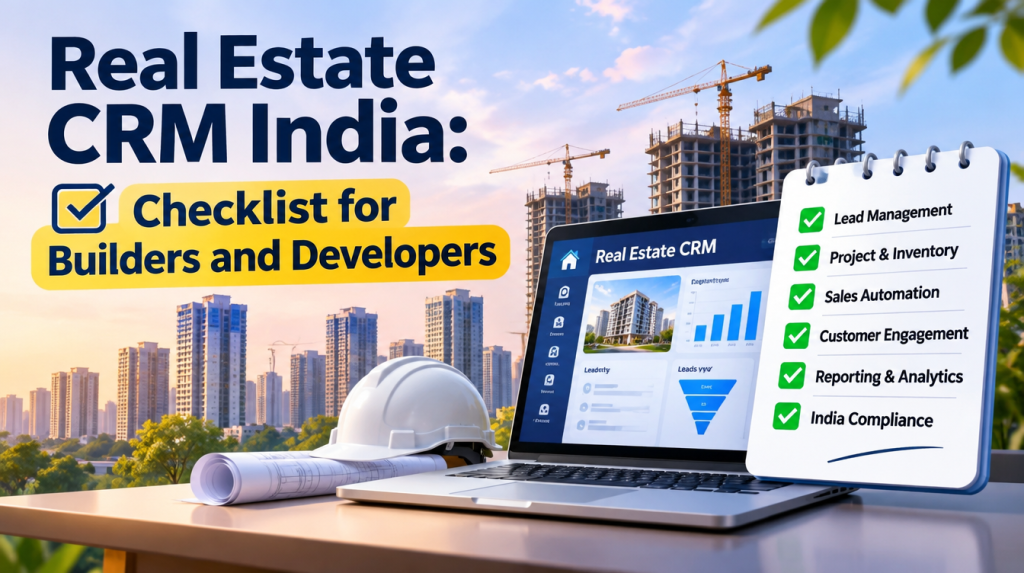
Print it and score every vendor on the same sheet. Here’s a real estate CRM checklist for builders to start with:
| Area | Must-have | Nice-to-have |
| Leads | All sources captured, duplicates caught, rule-based allocation | AI lead scoring |
| Inventory | Unit-level status, block rules, controlled pricing | Virtual unit views |
| Partners | Lead registration, commission rules, partner visibility | Branded partner app |
| Collections | Payment plans, demand letters, aging reports | Automated payment links |
| Reporting | Funnel, source and executive reports | Role-based dashboards |
| Integrations | WhatsApp, telephony, ads, finance link | E-signature, automation |
| Implementation | Migration plan, training, named contact | On-site training |
Mark each line fully met, partly met or not met. The pattern across vendors appears quickly.
Questions to Ask Before You Sign
Demos are built to impress. These questions to ask real estate CRM vendors are built to get honest answers:
- Can you solve our top three problems live, with our scenario instead of your sample data?
- Can we change allocation rules ourselves?
- What happens when two executives block the same unit?
- How do you handle a partner lead conflict?
- Which reports are standard and which need custom work?
- Which integrations cost extra?
- What does the total cost look like over three years?
- Who owns our data, and can we export it?
- Can we speak to developers who have used it for over a year?
Listen to how they answer. Clear and specific is a good sign. “We can customise that” is not.
Comparing Vendors Fairly
Features are easy to compare. Fit is harder. Build a weighted scorecard that gives more weight to what costs you most today. Run every vendor through identical tasks: allocate this lead, block this unit, register this partner lead, raise this demand letter, produce this report. Speak to existing users, and if you can, pilot on one project first. A real estate CRM comparison India teams can trust rests on evidence from your own data, not on brochures.
One more truth: vendors compete on features, but projects fail on adoption. In the world of real estate CRM India developers deal with, the best system on paper loses to the one your sales team opens every morning.
Rollout: Where Good CRMs Go to Die
Buying is the easy part. Use this real estate CRM implementation checklist to keep the rollout alive:
- Define the process first: lead stages, allocation, hold rules, partner policy, payment plans.
- Appoint one senior internal owner.
- Clean your data before migration.
- Configure one project first.
- Set roles, permissions and discount approvals.
- Train by role.
- Set a go-live date and a switch-off date for the spreadsheet. If it stays alive, the CRM dies.
Then review adoption at 30, 60 and 90 days. The biggest predictor of success is simple: does management use it? If leadership reviews from the CRM, the team keeps it updated. If leadership asks for a separate Excel, the CRM becomes decoration.
What a CRM Cannot Fix
A CRM is a mirror, not a magic wand. If your real estate pricing strategy is misaligned with the market, it will faithfully record slow inventory and a sales team begging for discounts. And before any phase goes live, your real estate project launch checklist should include CRM readiness: sources tagged, inventory and prices loaded, partners onboarded, payment plans configured, team trained. Fix the structure first, then choose a CRM that enforces it.
So, What Should You Choose?
There’s no single best CRM, only the best fit for how you sell, how your partners work, how you collect and how disciplined your team is willing to be. The honest answer for any developer weighing real estate CRM India vendors: pick the system that makes your own rules easy to enforce. Solve your top three problems in a live demo, test every shortlist on the same scenarios, plan the rollout before you sign and make sure leadership uses it daily.
At Eighth P, we work with developers, landowners and institutional stakeholders on structured real estate growth, which is why we start the CRM conversation earlier than most vendors do: pricing logic, inventory release, partner rules and collections sequencing first, software second. Shortlisting vendors? Talk to us first.
Frequently Asked Questions
1. What is a real estate CRM?
Software that can manage a buyer’s journey, from first enquiry to site visit, booking, payment collection and handover. A property-focused CRM should support units, inventory, payment plans and channel partners; check which modules the vendor actually includes.
2. Can we just use Excel and WhatsApp?
For a very small, single-project team, maybe for a while. As projects and partners multiply, spreadsheets lose follow-ups, double-book units and miss payments, and those leaks usually cost more than a proper system.
3. How much does a real estate CRM cost?
It depends on users, modules, customisation and implementation support. Ask every vendor for the total cost over three years, not just the first-year licence.
4. How long does implementation take?
It varies with the number of projects, the state of your data and how clear your processes are. Ask for a written timeline and a list of what’s needed from your side.
5. Should we buy a ready-made property CRM or customize a general one?
Property CRMs usually cover inventory, payment plans and partner tracking out of the box. A general CRM can work, but you’ll pay to build those features, so compare the true cost before deciding.
6. How do we get the sales team to use it?
Make it the only source of truth. Review performance from CRM reports, approve discounts and bookings only through the system and retire parallel spreadsheets on a fixed date.